Discover the Latest in Perenso Trade Show

Trade Show Improvements Banner


Explore our newest updates and enhancements in Perenso's Trade Show software designed to elevate your business operations. 

Trusted by Industry Leaders

The Highlights:

Untitled (400 x 400 px) (7)

Ordering for Sales Representatives

 Sales Representatives can now place orders for their customers and groups directly in Event Explorer, when enabled.

Untitled (400 x 400 px) (8)

Attendee Notifications

 Event teams can enable a Notify Me When Found experience that sends a push notification when an attendee is scanned at a booth or through an Event Explorer interaction. 

Features That Transform Your Business

Our latest release is packed with powerful features that streamline operations, boost productivity, and drive growth.

Customers Menu

A new Customers menu gives Hosts, VIPs, Managers, and Sales Representatives a quicker way to view their associated customers and registered attendees in Event Explorer.

Content Sharing

Representatives can now send relevant booth content to their associated attendees while browsing booths in Event Explorer.

Full Release Notes:

📱 Event Explorer Updates

  • Customers Menu 

    A new Customers menu gives Hosts, VIPs, Managers, and Sales Representatives a quicker way to view their associated customers and registered attendees in Event Explorer. Depending on event configuration and user permissions, eligible users can also begin ordering workflows for those customers directly from this menu.

    The menu can be presented using labels such as My Customers, Accounts, or My Accounts, and event teams can tailor the customer and attendee information visible to each user type. This includes key attendee-status highlights, a concise customer card view for quick review, and a more detailed attendee view when needed.

  • Ordering for Sales Representatives 

    Sales Representatives can now place orders for their customers and groups directly in Event Explorer when this capability is enabled for the event. Representative ordering supports both Auto-submit and Manual-submit order modes, following the event’s established ordering and arrival rules.

    Depending on event settings, representatives can save orders as they go or work with a customer-level cart. They can place orders as themselves or, where permitted, on behalf of a specific attendee. The experience includes support for key ordering capabilities such as purchase orders, deals, inventory, and minimum/maximum rules. Representatives can also review customer order information and edit orders from the summary view when editing is enabled.

  • Attendee Notifications and Order Summaries 

    Event teams can enable a Notify Me When Found experience that sends a push notification when an attendee is scanned at a booth or through an Event Explorer interaction. This can help representatives and other eligible users respond more quickly when an associated attendee arrives at a relevant location.
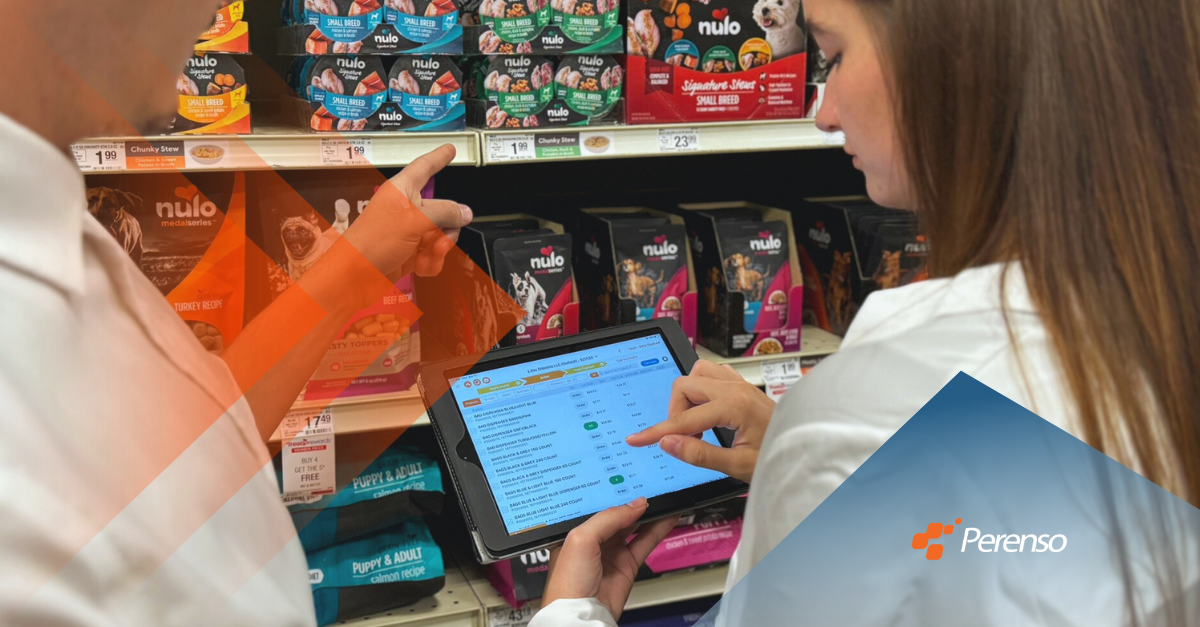
    Representatives can also email order summaries to selected attendees from the Customers menu when the event’s order-summary notification is enabled. They may send a copy to themselves as part of the same workflow.

  • Content Sharing and Navigation 

    Representatives can now send relevant booth content to their associated attendees while browsing booths in Event Explorer. This creates a faster way to share useful information with customers in the context of the event experience.

    The Show Floor menu is also more flexible. Event teams can choose whether users enter the Show Floor through the map, booth view, or booth list, and each of these destinations can be offered as a secondary menu option.

  • Event Explorer Improvements 

    Release 69 includes several refinements that make product discovery and ordering more consistent in Event Explorer:

      • Event teams can configure the product fields available in Global Search.
      • Product information can be set to appear expanded or collapsed by default during order entry.
      • Booth product sequencing is available in the Booths-to-Products view.
      • Order notes and order flagging are available within Event Explorer ordering.
      • Customer selection during ordering now respects warehouse availability.
      • Content and product actions are disabled when a booth has no corresponding content or products.


⏩ Express Registration Updates

  • Expanded Search Capabilities 

    Express Registration now supports searching by additional fields when enabled, extending beyond an exact Scan ID match. Event teams can choose which fields are searchable and can limit open searching to the registration types where it is appropriate.

    Because broader searching can reveal registration details, this capability should be used thoughtfully. Keeping Express stations closed when they are not actively in use helps protect attendee information.

  • Station Open and Close Controls:  

    Express Registration stations can now be set to Open or Closed from within the app. This lets event teams pause attendee access without powering down the device or resetting printer connections, making it easier to manage an active registration station between uses.

  • Additional Report Printing: 

    Express Registration can now print additional registration reports alongside badges when configured for the applicable registration type. This supports workflows such as printing customer labels for primary registrants or targeted reports for buyers checking in through Express Registration.


📋 Pre-Show Registration

  • Pre-Show Registration adds another privacy-focused option for new registrants who need to add additional users. When enabled, new registrants can add users without viewing the full list of previously registered users, helping protect personal information while maintaining flexibility for entity-based registration workflows.

REQUEST A DEMO

Extend your existing sales enablement platform to your outside sales team with Perenso Field Sales.

Sales Enablement Software for Productive Outside Sales Teams

What is Field Sales

Read Perenso's Latest